
Beautify screenshots online, free
Turn a plain screenshot into something worth sharing — add a background, a device frame, a shadow, and clean it up in seconds.
Free to start · No signup to try · No watermark on your exports
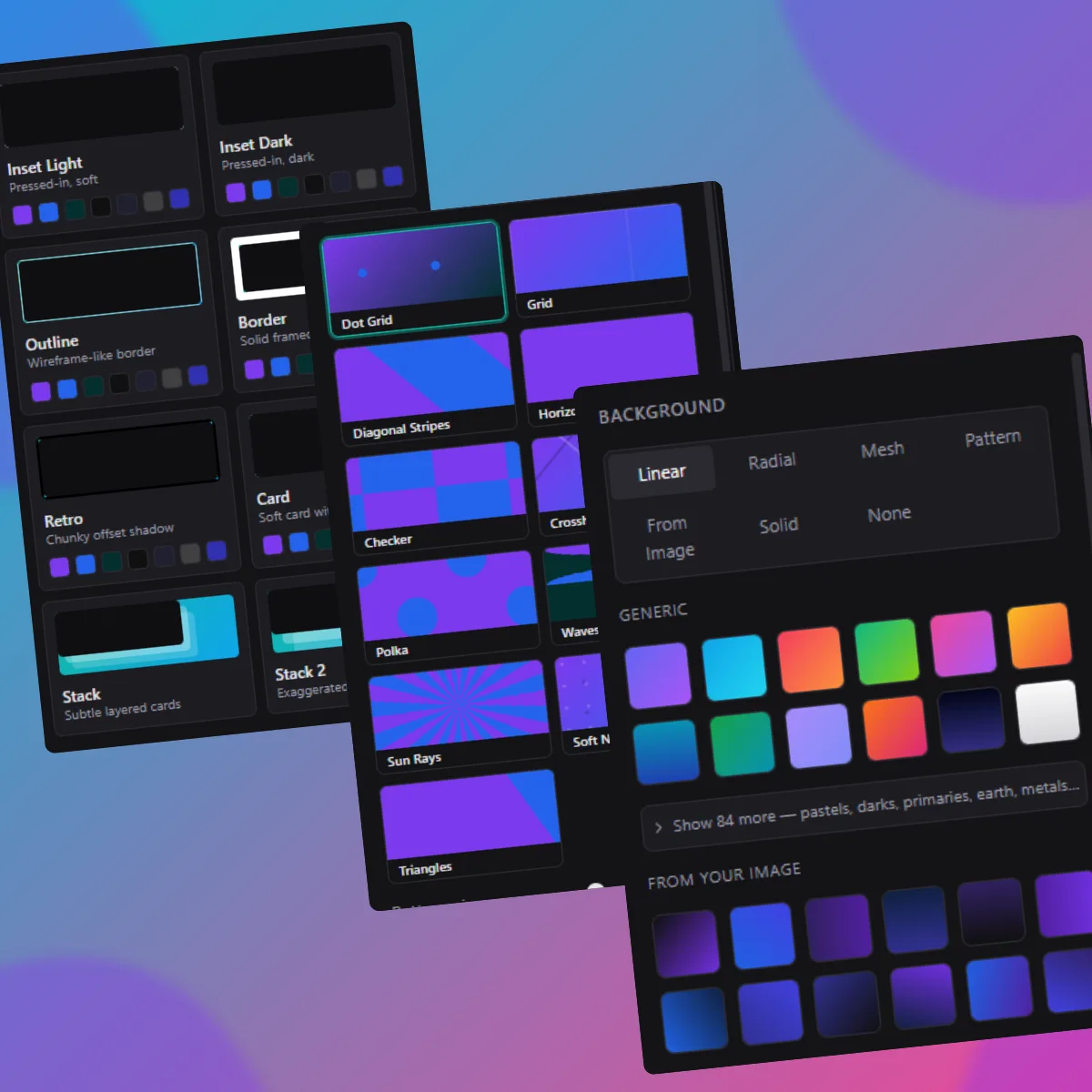
Screenshots straight off your screen look unfinished — hard edges, no context, a dull background. Beautifying one means giving it a frame, a background and a shadow so it looks deliberate.
DudeShots does exactly that. Drop in a screenshot, add a browser or device frame, choose from dozens of gradient and pattern backgrounds, drop a soft shadow, and export. No design skills, no template files, no watermark.
It's the fastest way to make a screenshot look good for a tweet, a blog header, release notes or a slide.
How it works
- 1
Drop in a screenshot
Paste, drag in a file, or capture from a URL.
- 2
Add a background & frame
Pick a gradient or pattern, wrap it in a frame, add a shadow.
- 3
Export
Download a polished image with no watermark.
One-click randomize
Not sure what looks good? Shuffle layout, look and background instantly.
Backgrounds galore
Dozens of gradient and pattern presets, plus custom colours.
Frame looks
Glass, card, retro and outline finishes for the device itself.
No account to try
Beautify and export for free — Pro just unlocks the full library.